Navigating the Dashboard
Learn your way around the Cura dashboard, including the sidebar, stats overview, and recent activity.
1 min read·Updated 2026-02-10
Dashboard Overview
The dashboard is your home base in Cura. It gives you a quick snapshot of your business at a glance.
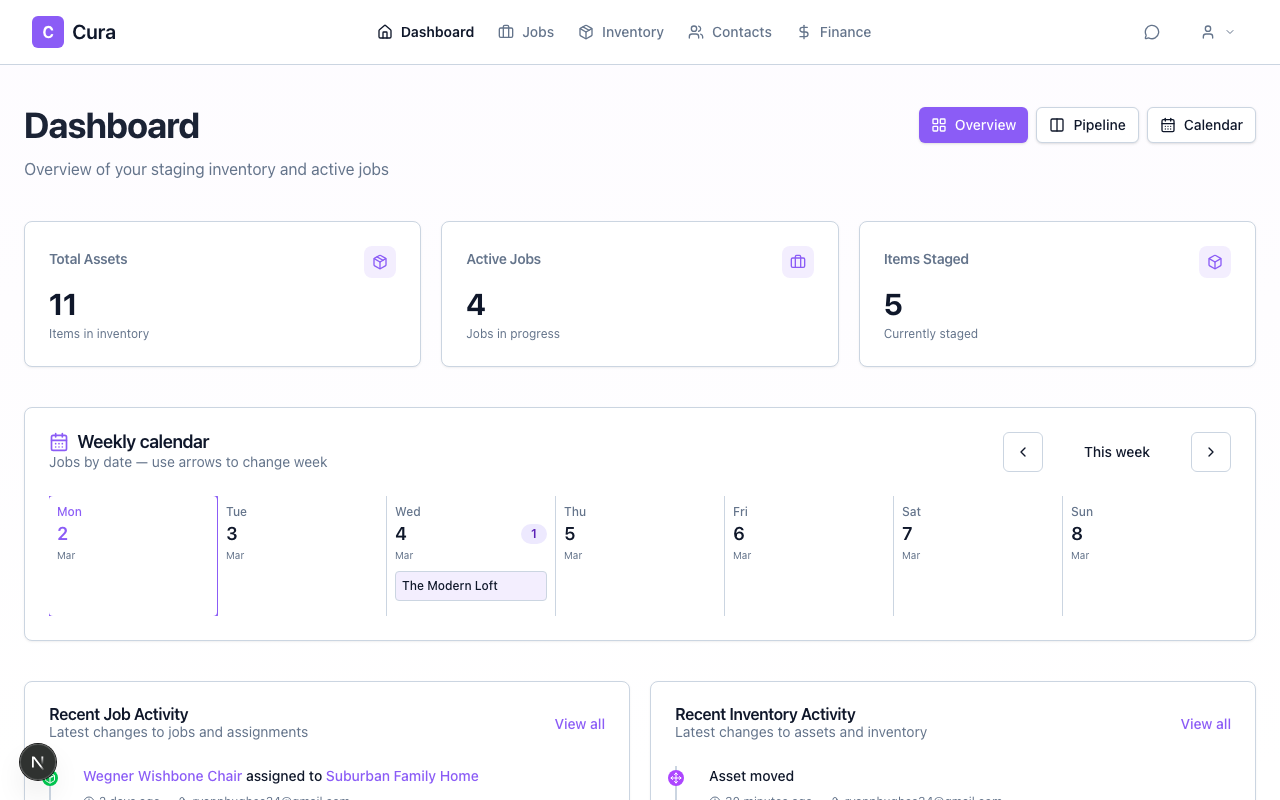
Key Sections
- Stats cards — See your total assets, active jobs, and contacts at the top
- Recent activity — A timeline of recent actions across your account
- Upcoming jobs — Jobs that are starting soon
Sidebar Navigation
Use the sidebar to navigate between the main areas of Cura.

- Dashboard — Return to the overview
- Jobs — Manage your staging projects
- Inventory — Browse and manage your assets
- Contacts — Your agents, homeowners, and vendors
- Finance — Invoices and payment tracking
Quick Actions
From the dashboard, you can quickly:
- Add a new asset — Click the plus icon in the header
- Create a job — Use the "New Job" button
- Scan a QR code — Access the scanner from the nav